Automated Lead Prospecting from LinkedIn for Targeted Data Collection
Sales teams can efficiently generate targeted lead lists from LinkedIn and automatically populate them into Google Sheets, saving time and improving prospecting accuracy.
This workflow automates the identification and data extraction of potential LinkedIn leads based on user-defined criteria such as role, industry, and location, storing clean, structured lead information into Google Sheets to enhance sales team efficiency and accuracy.


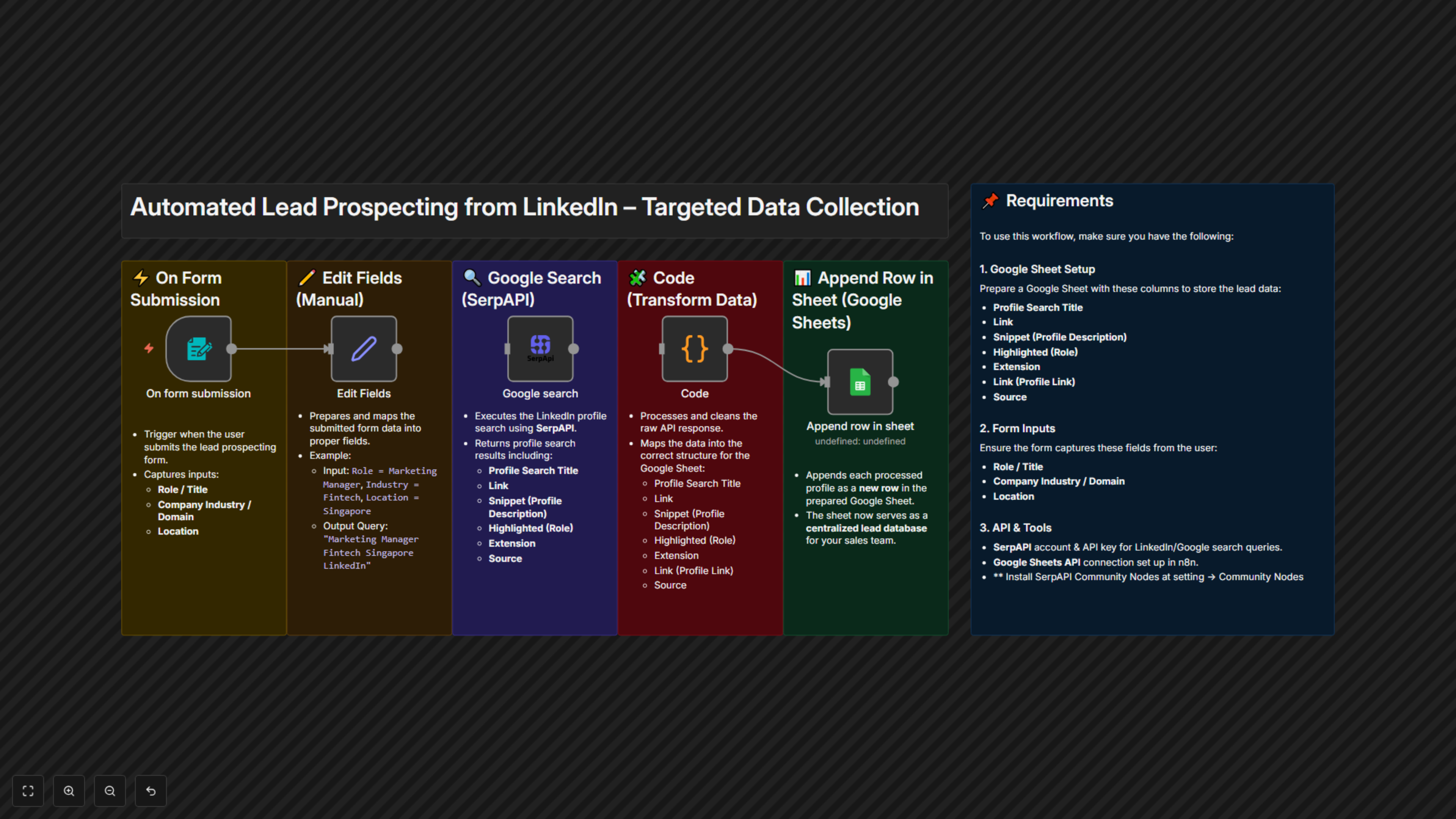
Documentation
📖 Documentation
This automation workflow streamlines the process of identifying and gathering potential customer leads from LinkedIn. By filling out a simple form with your desired role, title, company industry/domain, and location, the workflow will:
- Use SerpAPI to search LinkedIn profiles that match your defined criteria.
- Extract key public information such as profile title, description snippet, highlighted role, and profile link.
- Automatically store the collected data into a Google Sheet for easy access and collaboration with your sales team.
This ensures a clean, structured, and targeted lead list that can be directly used for outreach and business development.
🎯 Benefits for Customers
- ⏳ Efficient Lead Generation – Quickly build a tailored list of LinkedIn prospects without manual searching.
- ✔️ Data Accuracy – Automatically extract structured information directly into your CRM-ready sheet.
- 📊 Sales Team Focus – Allow sales reps to focus on relationship building and closing deals instead of data collection.
- 🎯 High-Quality Targeting – Define precise filters (role, industry, location) for relevant leads.
- 📈 Scalable Process – Repeatable and adjustable workflow that grows with your prospecting needs.
📌 Requirements
To use this workflow, you should prepare a Google Sheet to store your lead data with the following columns:
- Profile Search Title
- Link
- Snippet (Profile Description)
- Highlighted (Role)
- Extension
- Link (Profile Link)
- Source
Additionally, you’ll need to provide the search form inputs for:
- Role / Title
- Company Industry or Domain
- Location
- Install SerpAPI Community Nodes