
Automate Google Drive Access Audits & Enhance Data Security
Automatically identify risky Google Drive sharing settings daily, reducing manual audit time by 100% and significantly enhancing data security.
Manual auditing of Google Drive sharing settings is time-consuming and prone to oversight, leading to potential data exposure risks. This workflow automates daily Google Drive permission audits, identifying publicly shared or externally accessible documents to proactively enhance your organization's data security posture.



Documentation
Automated Google Drive Security Audit Workflow
This n8n workflow helps organizations maintain a strong security posture by automatically monitoring and reporting on Google Drive documents with potentially excessive sharing permissions. It's designed to flag files shared publicly or with external users, ensuring sensitive data remains protected and compliance requirements are met.
Key Features
- Daily Scheduled Audits: Automatically scans recently active Google Drive files at a set interval, eliminating manual review.
- Identify Risky Sharing: Detects documents shared publicly via "anyone with link" or with specific external users outside your domain.
- Centralized Reporting: Logs all identified files and their specific sharing permissions into a dedicated Google Sheet for historical tracking and comprehensive oversight.
- Proactive Email Notifications: Delivers a summarized report directly to your inbox, highlighting critical findings with direct links for immediate action.
- Customizable Filtering: Easily adapt filters to ignore trusted domains or specific file types, reducing false positives and focusing on real risks.
How It Works
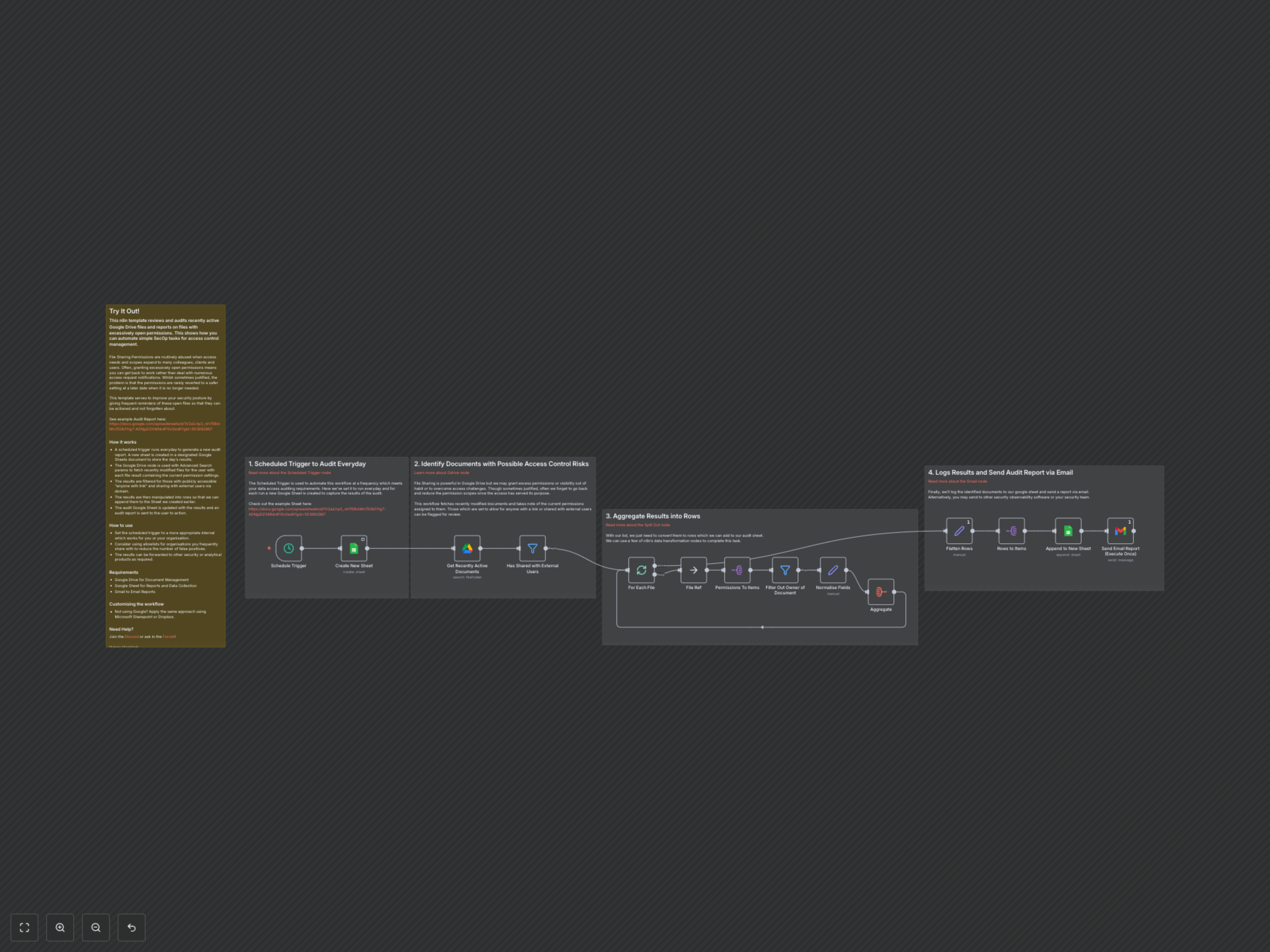
The workflow initiates with a Scheduled Trigger, running daily at a specified time and creating a new, timestamped Google Sheet tab for each audit report. It then utilizes the Google Drive node to efficiently retrieve recently modified Google Docs, Sheets, and Presentations, complete with their current sharing permissions. The core of the audit lies in the Filter node, which meticulously identifies documents shared either publicly ("anyone with link") or with external users outside your defined domain. These flagged permissions are then meticulously processed, standardized into a clear format, and aggregated before being Appended to the New Sheet. Finally, a Gmail node dispatches a comprehensive email report to designated recipients, detailing all identified risky shares with direct links for immediate review and action, significantly streamlining your security oversight.