
Auto Invoice with PDF & Email Delivery
Automate invoice creation, approval, and delivery, saving time and ensuring prompt customer billing.
An end-to-end solution for generating invoices, securing finance approval, and sending finalized PDFs directly to customers.

$29
Ready-to-use workflow template
Complete workflow template
Setup documentation
Community support
Preview - N8n

Documentation
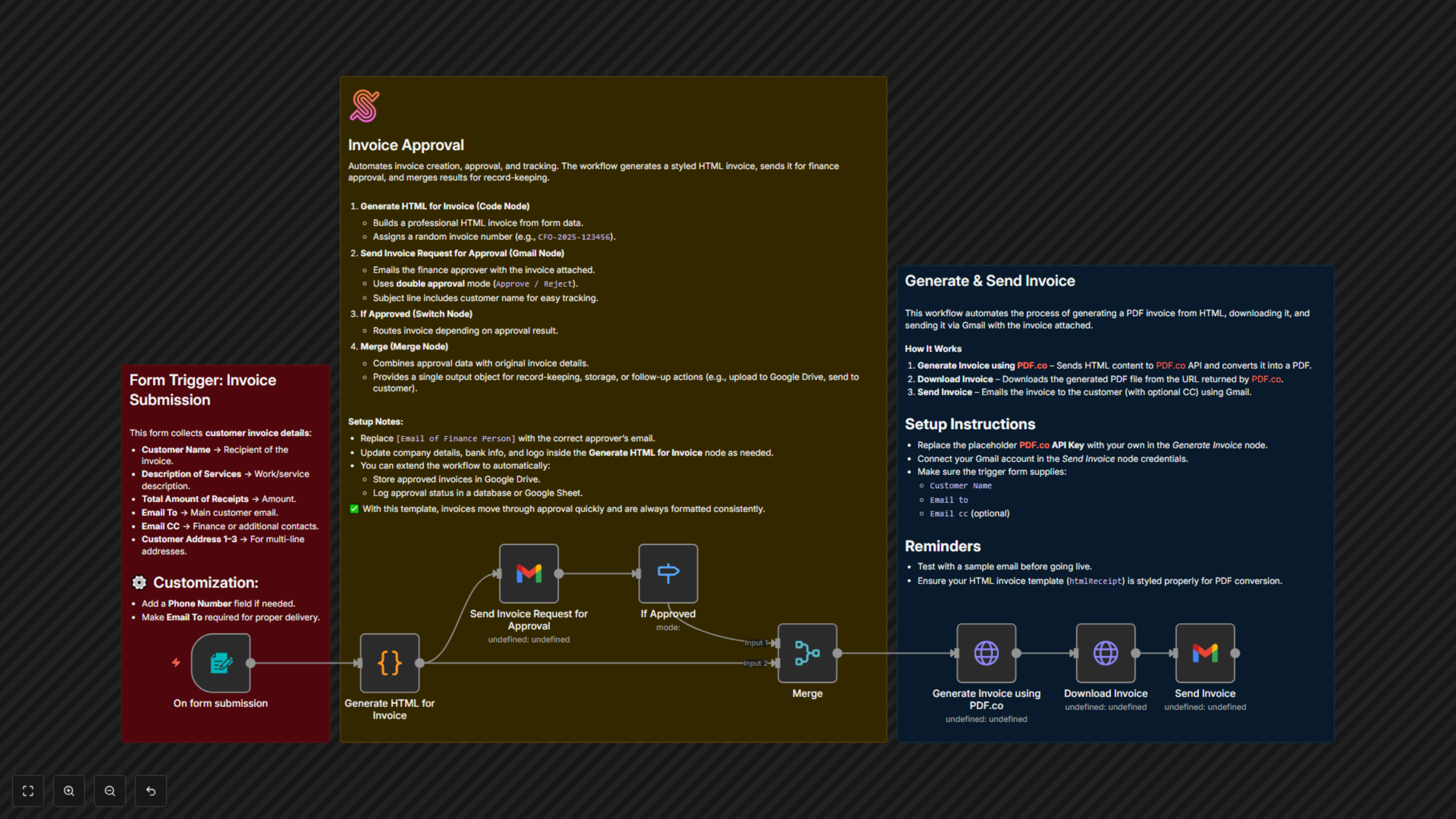
⚙️ Workflow Steps
- Form Trigger (Invoice Submission)
- Starts when a new invoice form is submitted.
- Captures details like customer name, invoice number, items, and amounts.
- Code Node (HTML Invoice Creation)
- Generates a styled HTML invoice using the form data.
- Formats line items, totals, and company branding.
- Gmail Node (Approval Request)
- Sends the generated invoice to the finance approver.
- Approver can accept or reject.
- Switch Node (Approval Decision)
- Routes workflow depending on finance’s decision.
- If approved → continue to PDF generation.
- If rejected → stop process or notify HR/issuer.
- PDF.co Node (HTML → PDF Conversion)
- Converts the HTML invoice into a PDF file.
- HTTP Request Node (Download PDF)
- Retrieves the generated PDF for email attachment.
- Gmail Node (Send Final Invoice)
- Sends approved invoice PDF to the customer.
- CCs the finance team for record-keeping.
✅ Key Benefits
- Streamlined Invoice Processing: Automates invoice creation and delivery with minimal manual work.
- Built-in Approval Workflow: Ensures finance validates invoices before sending.
- Professional Output: Generates consistent, branded PDF invoices for clients.