
AI Expense Automation: Gmail to Google Sheets for Finance
Eliminate up to 90% of manual expense data entry, saving hours weekly by automatically extracting and categorizing spend details into Google Sheets.
Manually tracking and categorizing expenses from various email sources is a tedious and error-prone process that consumes valuable time. This workflow automates the extraction of spend details from invoices and payment notifications in Gmail, leveraging AI to categorize transactions and log them directly into Google Sheets for effortless financial management.




Documentation
Automate Your Expense Tracking from Gmail to Google Sheets with AI
Manually tracking and categorizing expenses from various email sources is a tedious and error-prone process that consumes valuable time. This workflow automates the extraction of spend details from invoices and payment notifications in Gmail, leveraging AI to categorize transactions and log them directly into Google Sheets for effortless financial management.
Key Features
- Automated email monitoring for invoices and payment confirmations.
- Intelligent AI extraction of transaction details (date, amount, service, category, currency, card).
- Handles diverse email formats, including multiple transactions and password-protected PDFs.
- Seamless integration with Google Sheets for centralized financial records.
- Reduces manual data entry and minimizes human error in financial tracking.
How It Works
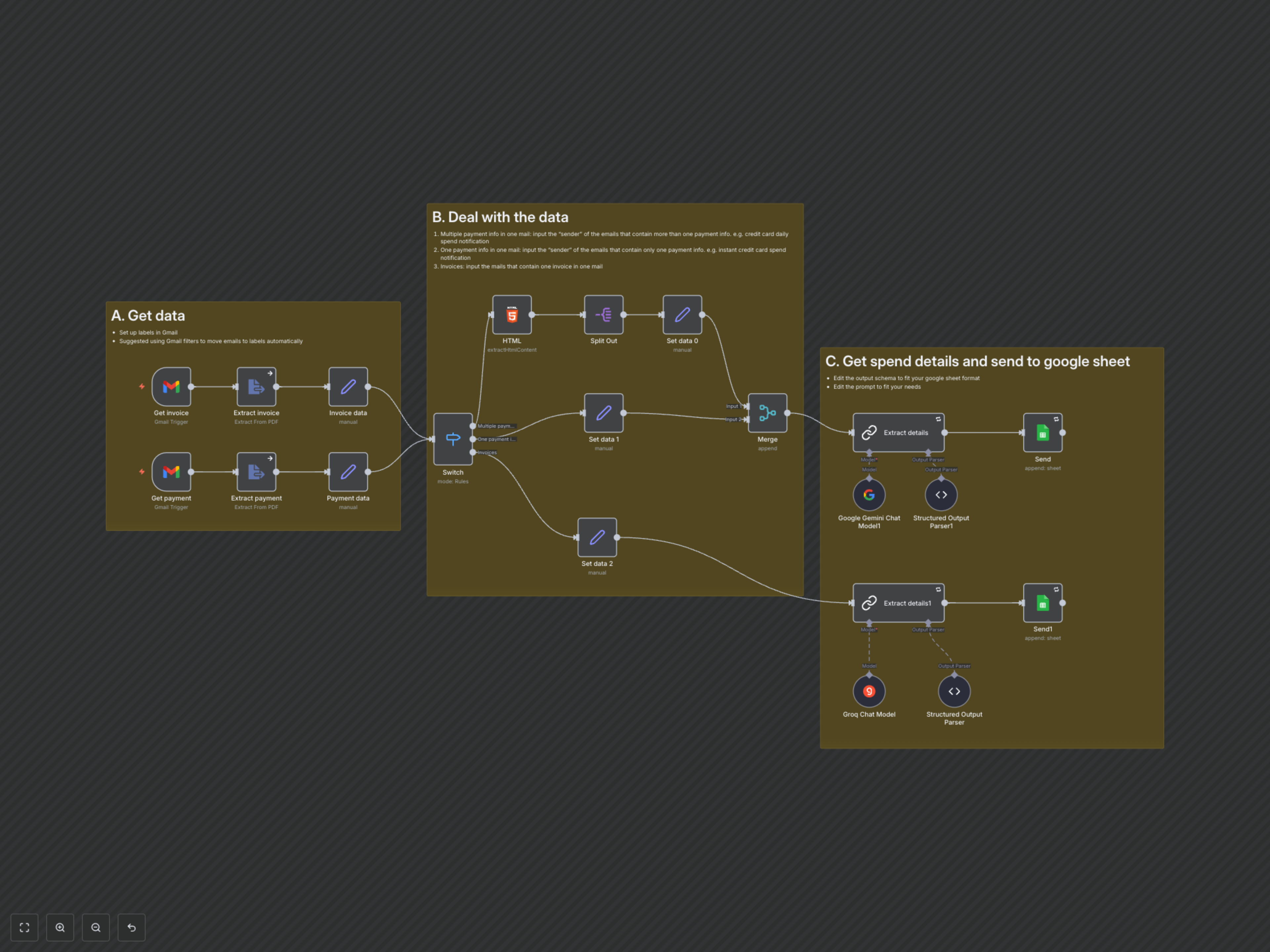
The workflow constantly monitors your specified Gmail labels for new invoices and payment notifications. It automatically downloads any attachments, including password-protected PDFs, and extracts their content. Depending on the sender, the workflow intelligently routes emails to different AI models (Google Gemini or Groq) to accurately parse transaction details like date, service, amount, and category. Finally, all extracted and categorized spend data is automatically appended to your designated Google Sheet, providing you with an organized and up-to-date financial ledger.